Quản lý kho hàng
Một hệ thống cho mọi mặt hàng, mọi kho và cửa hàng, mọi chuyển động
Từ một kho hoặc cửa hàng đến nhiều điểm, khoai.io cung cấp số lượng tồn kho trực tiếp, điều chỉnh có thể truy vết và chuyển kho kiểm soát — trong một hồ sơ hoạt động duy nhất.
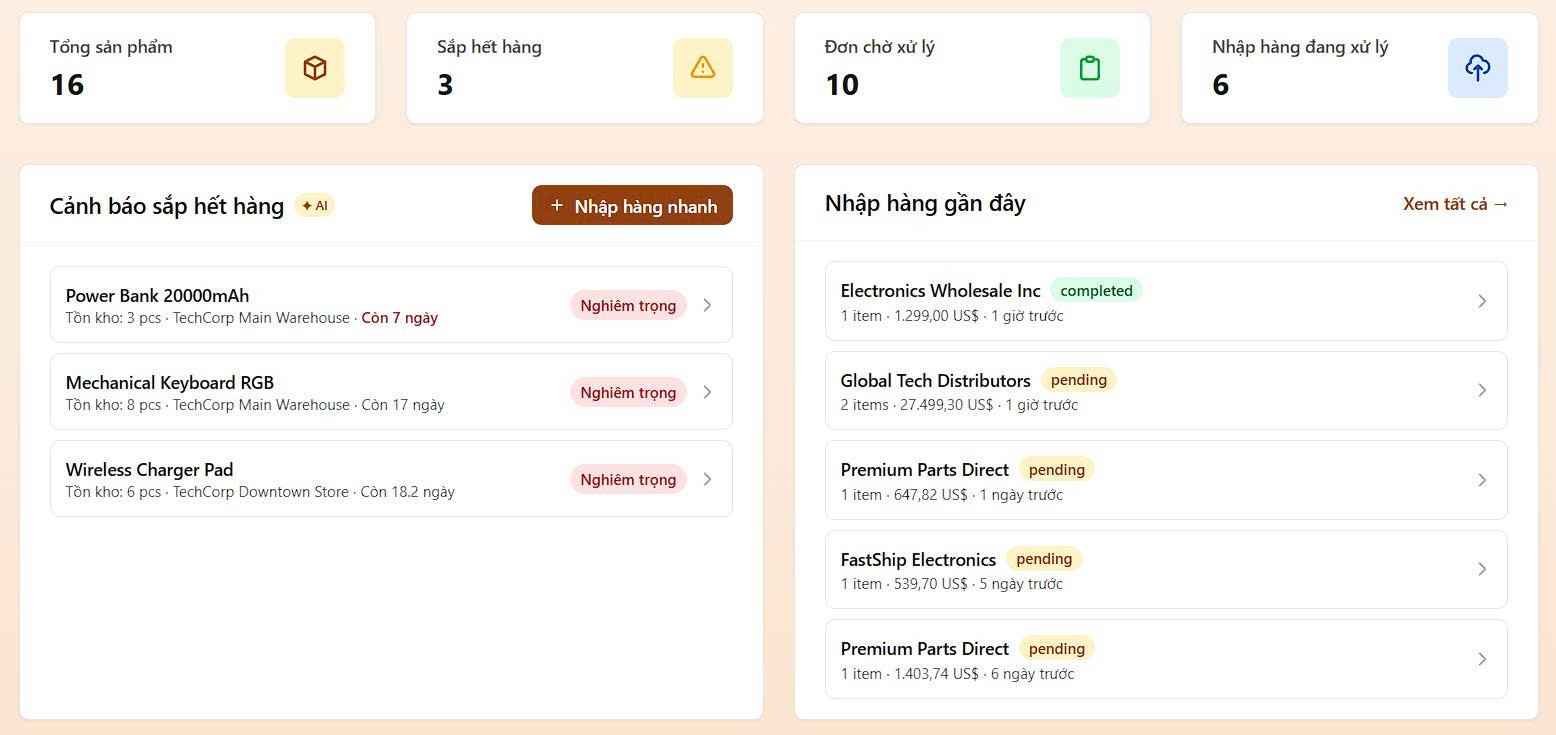
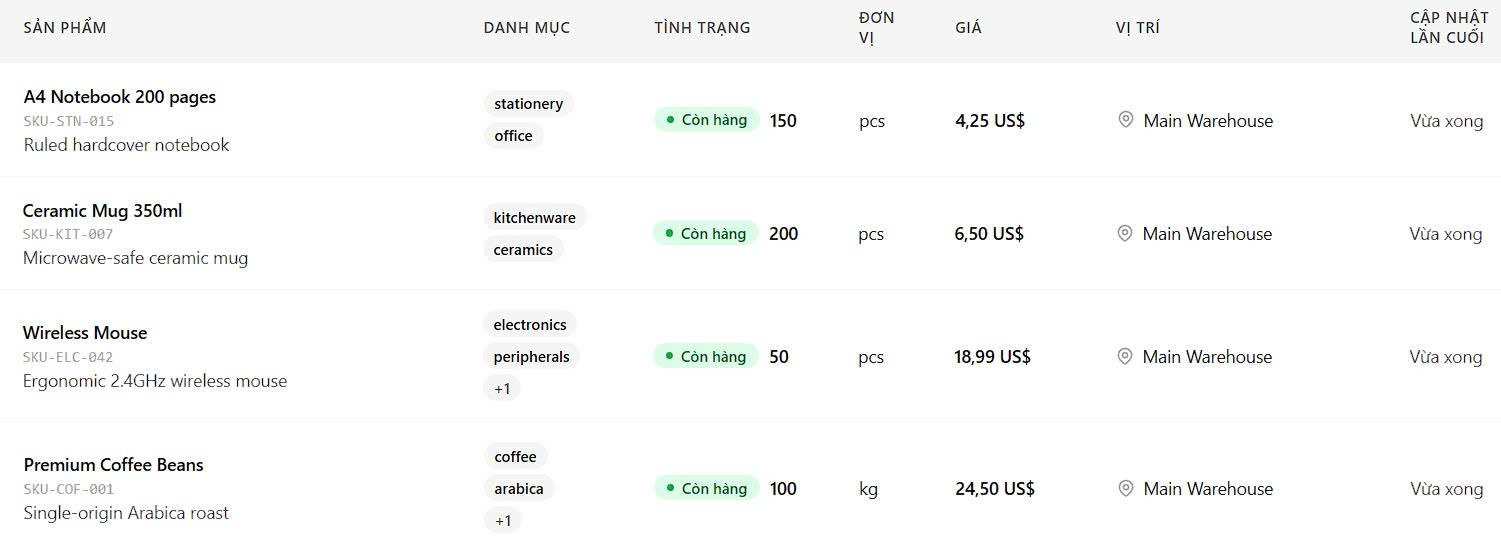
Hiển thị tồn kho theo địa điểm
Xem tổng mặt hàng, số lượng, số hàng sắp hết, và doanh thu hôm nay trong một bảng tóm tắt. Lọc theo kho/cửa hàng, trạng thái, nhãn hoặc khoảng giá. Quyền truy cập của mỗi địa điểm được kiểm soát độc lập.
- Một dashboard hiển thị tổng mặt hàng, số lượng tồn và mức rủi ro theo từng địa điểm
- Bộ lọc nhanh theo điểm kho/cửa hàng, trạng thái tồn kho, nhãn và khoảng giá
- Tín hiệu sắp hết hàng và hết hàng tích hợp sẵn để nhập bổ sung kịp thời
Điều chỉnh tồn kho có kiểm toán
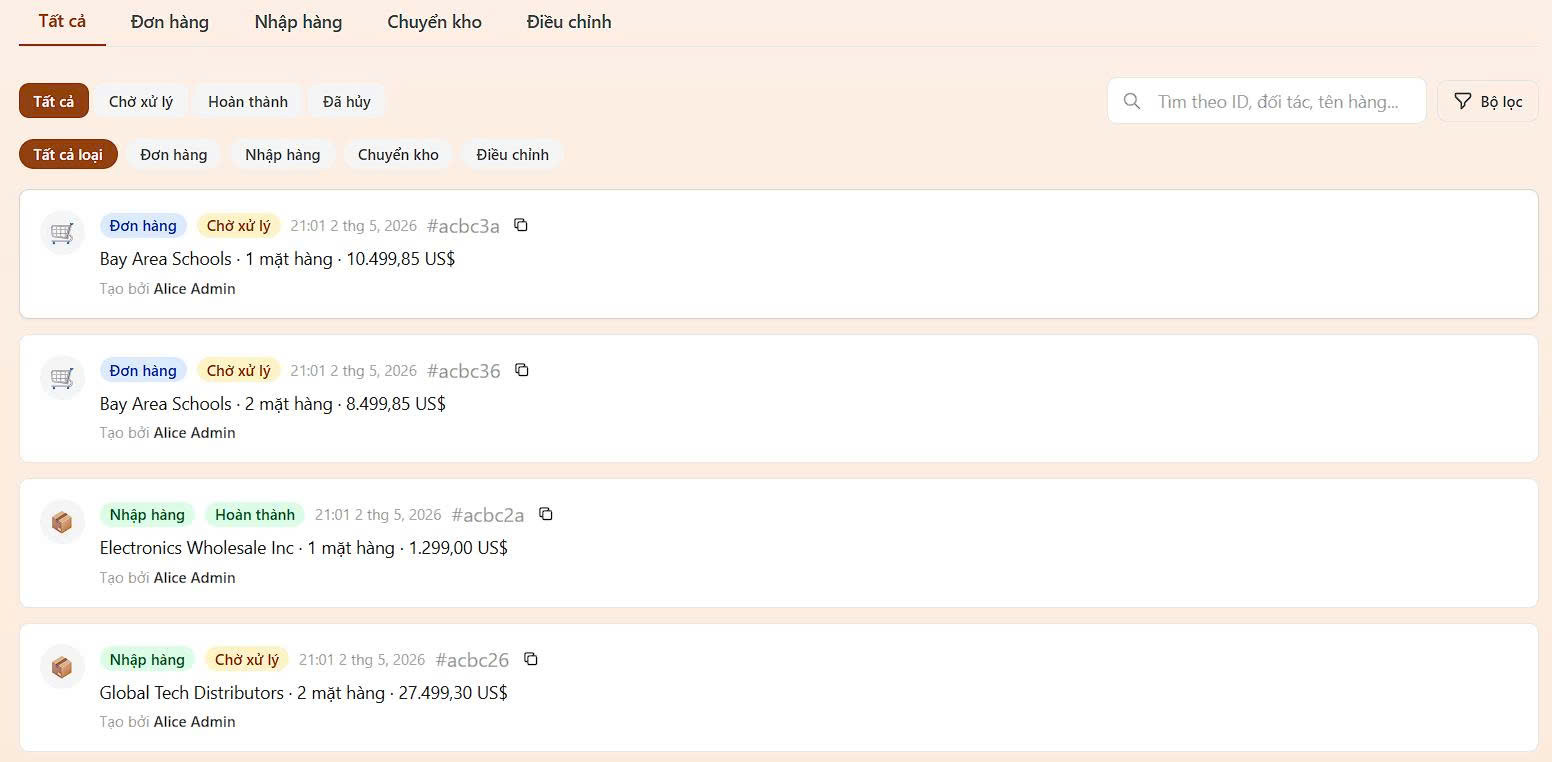
Mỗi thay đổi số lượng đều ghi lý do cụ thể và được cập nhật tức thì và nhất quán trên toàn hệ thống. Nhờ đó đội ngũ của bạn có lịch sử rõ ràng, dễ truy vết cho kiểm toán, đối soát và kiểm kê lại.
- Mỗi lần điều chỉnh đều ghi số lượng trước, số lượng sau, lý do, ghi chú và người thực hiện
- Lý do được chuẩn hóa giúp lịch sử kiểm toán dễ đọc hơn cho bán hàng, hư hỏng, trả hàng, mất trộm, kiểm kê thủ công và hàng từ nhà cung cấp
- Lịch sử điều chỉnh có thể lọc theo mặt hàng, lý do, người thao tác, khoảng ngày hoặc từ khóa để điều tra nhanh hơn
Vòng đời chuyển kho
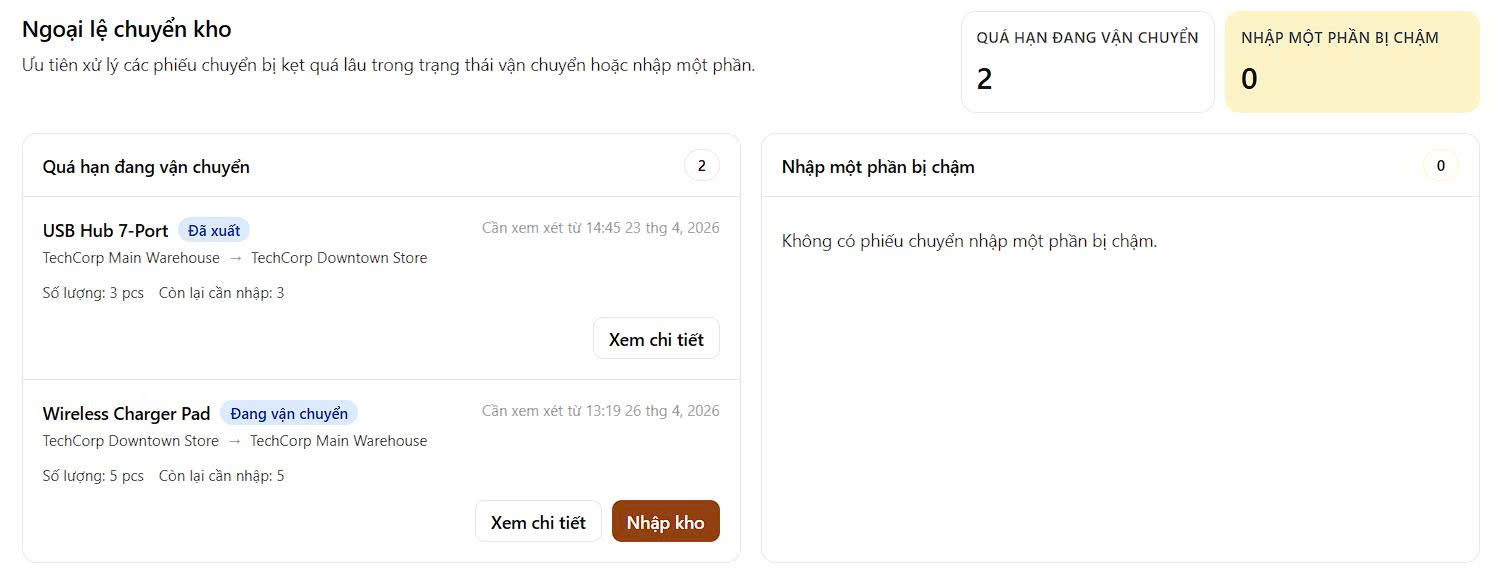
ProChuyển hàng giữa các kho và cửa hàng với theo dõi trạng thái đầy đủ từ lúc tạo yêu cầu đến khi nhận hàng. Đội ngũ có thể theo dõi từng bước, ghi nhận sai lệch khi hàng đến và giữ lịch sử di chuyển gắn với đúng địa điểm.
- Theo dõi từng lệnh chuyển qua các trạng thái chờ xử lý, đã xuất, đang vận chuyển, nhận từng phần, hoàn tất hoặc đã hủy
- Cho phép nhận hàng từng phần và ghi lý do sai lệch như hư hỏng, thiếu hàng, sai mặt hàng hoặc lệch số lượng
- Xem các chuyển kho quá hạn và các phiếu nhận từng phần bị treo từ hộp thư ngoại lệ chuyên dụng
Nhập dữ liệu chỉ trong vài phút
Chỉ cần tải lên bảng tính hiện có của bạn. khoai.io tự động ánh xạ cột, kiểm tra từng dòng và đưa kho hàng vào hệ thống — chính xác, không cần định dạng lại.

Ngừng đoán. Bắt đầu kiểm soát.
Nhận số lượng tồn kho trực tiếp, lịch sử điều chỉnh đầy đủ và luồng chuyển hàng đa điểm trong một hệ thống hoạt động. Gói miễn phí gồm một địa điểm và 500 mặt hàng. Nâng cấp khi bạn sẵn sàng.
Bắt đầu miễn phíCâu hỏi thường gặp
- Có. khoai.io được xây dựng cho vận hành đa địa điểm. Bạn có bảng tồn kho riêng theo địa điểm, chuyển kho theo từng chi nhánh, và kiểm soát quyền truy cập để mỗi đội chỉ thấy thông tin cần thiết.
- Mỗi thay đổi số lượng chạy như một giao dịch nguyên tử và ghi lại lý do cụ thể — bán hàng, trả hàng, hư hỏng, mất mát, kiểm kê thủ công hoặc nhận từ nhà cung cấp — cùng người thực hiện, thời gian và số lượng trước/sau.
- Có. Chỉ cần tải lên bảng tính hiện tại của bạn, khoai.io sẽ ánh xạ cột, kiểm tra từng dòng và tải tồn kho mà không cần định dạng lại.
- Chuyển kho theo dõi toàn bộ vòng đời từ chờ xử lý đến đang vận chuyển đến đã nhận. Đội ngũ có thể theo dõi từng bước, ghi nhận sai lệch khi nhận hàng và xem các chuyển kho quá hạn từ hộp thư ngoại lệ.
- Có. Bạn có thể nhận một phần lô hàng chuyển kho và ghi lý do sai lệch. Số lượng còn lại sẽ ở trạng thái đang vận chuyển cho đến khi nhận đủ hoặc hủy.